Archive for the 'Mobile Technology' Category

Page 3 of 3

Sound Barriers

I had an interesting day. I was ”in charge” as all other leadership was out of the school for the day. I had two school groups coming to look at our interactive whiteboard program and a vendor coming to look at our network regarding an upgrade to our switches and the setting up of a wireless laptop program for our MYLU students. In between those commitments I was going to work on my Internet Safety Night presentation for our parents next week. As Murphy’s law would have it, the day didn’t turn out like that what with mix ups with relief teachers, looking after spare kids who didn’t bring notes for a local excursion, checking that kids who weren’t going on camp actually made it to their temporary classrooms and dealing with a misbehaviour issue. So, at the end of the school day, when I suggested to my learning team colleagues that our meeting should be held at the local coffee shop and get away from the school grounds, they agreed.

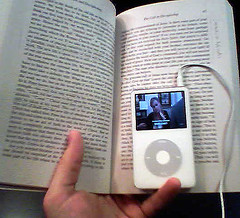
At this meeting over cappuccinos and Coke, the subject of several disengaged students came up. One teacher observed that when one student was on a computer with a set of headphones on and his choice of website based music going full tilt, his focus on his task improved noticeably and his disruption factor towards other students faded to nothing. The conversation wandered one to the possible use of iPods or any sort of personal mp3 player being a useful tool for these types of kids where they could hide behind a “barrier of sound” that eliminated distraction and temptation when working on their own set work. We talked about the equity issue, the setting of ground rules regarding appropriate use and if this idea would help some students in concentration or whether it just avoided the development of coping skills in the regular classroom environment. I suggested that we open this idea up for discussion in class meetings with the kids and see what they thought as a first step.

Marg, one of my colleagues, suggested that I take it to my learning network, which shows that my colleagues appreciate the power of my online interactions even if they aren’t involved with their own. There’s been plenty of posting regarding the use of iPods as a mode of instruction but this is a slightly different angle. So, while posing any sort of request to the edublogosphere is a mixture of hope, imposition and assumption, I’m asking any classroom educators or consultants who see a fair bit of classroom life to consider responding via the comments or a trackbacked post on your own blog to the following questions.

Does your school have a policy on iPod use (or equivalent) for students within the classroom?

Have you seen iPods (or equivalent) being used in classrooms?

Have iPods (or equivalent) been used as part of a student’s preferred learning style?

Have iPods (or equivalent) helped with students achievement or engagement?

How has the use of iPods (or equivalent) been negotiated within these classrooms?

Any other general comments about our discussion very welcome. We really aren’t sure about what approach (if any) to take…

Attribution: Image: ‘“Studying for class”‘ by jakebouma
www.flickr.com/photos/30885355@N00/109039319

Darren Needs More

Darren Draper posted recently on the use of mobile phones in classrooms and called for more international data on mobile phone ownership amongst K- 12 school students. I gathered my data from our 4 middle school classes and sent it on. But if Darren is gain a good overall picture of this trend, he needs more contributions beyond the US state of Utah and one Aussie contribution tacked on. So, I’m appealing to any of you reading this blog who teach K-12 kids – take a quick informal poll in your classroom, ask who owns a mobile (cell) phone, count the hands in the air, put that number plus the total number of students in your class into an e-mail and send it off to darren.draper [at] gmail.com. I’m sure he’ll even do the percentage calculation for you if you want but it’s worth gaining as much data as possible.

Help the poor guy out. Send him your stats ASAP.

Attribution: Image: ‘Phon-ey Call‘ by makelessnoise
www.flickr.com/photos/13447091@N00/195088755

iPhones Signal More MobileEd Opportunities

There’s a real buzz around the recent release of Apple’s iPhone in the US and plenty of speculation about when it will hit Australian shores and whether it has educational potential. Nix isn’t so sure that it will be as good as its hype in this part of the world while Christian Long is already contemplating the design implications. He says:

As for the “serious competitive weapon,” the design quotient for schools and education lies in our ability as educators to craft authentic engagement and opportunities for our student to authentically solve problems that lead to substantive creation that have value in real time in the real world. Look again at the iPhone. Think of the difference between the traditional phone experience and the re-imagination process taking place here. And start to think about the take-away’s for what it means to approach the classic interface of a school. As a design problem, perhaps we are challenged to re-think the value proposition for our students and the value of the entry point, the choices they seek to make and explore, and ultimately whether we’re designing for those who ‘run’ the ship or those who are being mentored to one day sail boldly on their own. Both are valuable, but both lead to very different outcomes – and very different user commitments.

I haven’t read deeply about the iPhone – yet – but it seems that re-imagining the interface of what a mobile phone should look like and how to interact with the user is the big deal here. And if the iPod is any guide, the design element will appeal to all ages making the larger screen concept that is already in many PDA’s already on the market popular instead of just how someone’s Dad’s Palm looks like. The important thing to remember is that this is the first in a wave of re-imagined possibilities – where education could benefit is getting the power and function of a computer into a handheld. There are more questions than answers following the release of the iPhone for me – like, how would text input work (great potential for web based office apps), could these devices communicate to a school network, and are they really large enough for decent viewing and creating of content? There have been plenty of Fantastic New Things™ – but like shoving business office suites onto school computing networks, we have to be sure that iPhones and the clones that this idea will spawn are tailor made for education and that we just don’t twist ourselves into knots to make them part of the learning landscape. Would we just be better off trying to bring the OLPC concept into developed countries like Australia?

Attribution: Image: ‘iphone‘ by Steve  Rhodes www.flickr.com/photos/44124466908@N01/352107511

Widescreen Laptops Galore

One of the exciting initiatives we are implementing next year is getting laptops to all teachers so they can all plug in and use the ACTIVboards around the school, among other things. It will be really exciting to have a whole staff that can have that quality access to a laptop that the current IWB users currently enjoy. I know that I feel really lost without my laptop which is currently out of action with a new motherboard on back order, but that’s another story! So I’m shopping via our usual suppliers for laptops that are good quality, have decent features and a 3 year warranty for this purpose and I’m getting frustrated. Why?

The title of this post is a hint – nearly every laptop on the market (particularly in the A$1200 – A$1500 range) is a widescreen model. That’s a frustration because as soon as you hook up a widescreen model laptop to a data projector, things get complicated in terms having the projector output match the screen of the laptop. Earlier, this year, we purchased some great Acer Travelmate 4202 LMi‘s that were ideal for projector use as they had a 15″ regular dimension screen. (1024 x 768 pixels)  Plug ‘em in, turn ‘em on and they were great. No messing around for the teacher and therefore more use within the classroom. But sadly, this is a discontinued model and  everything is WXGA or widescreen XGA or SXGA and it adds another layer of complexity for educators, some of whom have never taken ownership of a mobile computing device before. I had a play with my deputy’s personal Toshiba widescreen  notebook to see if I could easily get common displays via screen and projector but either I’m not terribly bright or it’s not possible. If I can’t do it easily, what chance have our technologically challenged teachers got? I’m sure that the wider screen is driven by the DVD capabilities and maybe some of the newer games on the market but it is something that is proving hard to avoid.

I’ll keep looking – but this is one initiative that is pretty exciting and poses the interesting question – what outcomes could be reasonably be expected in terms of student learning from this idea?

Photo credit:  Image: ‘stillness
www.flickr.com/photos/30008272@N00/85220007

On The Go Or On The Wall?

Some of my thinking about the best way to deploy technology in the primary school classroom seems to be heading in either of two near future directions. One – build it big enough that everyone can see the same thing or small enough that everyone can have one of their own. One costly thing that has a long life (by Moore’s law standards, anyway) but needs upgradeable software and reliable peripherals and is mainly geared towards being a teaching tool or lower cost (but not low enough yet) handheld or exercise book sized devices that are designed for personalization but rapidly evolving in their shape, capacity and capability. Yes, you guessed it. It’s time for one of those Interactive Whiteboard vs. 1 to 1 PDA/laptop posts of ponderance.

It’s not my position in my education system to say what is the correct way to equip our local primary schools, but I am entitled to an opinion. A lot of thoughts about the right way to effectively use the technology dollar and ensure that we are just not putting things in for the sake of it. However, I get worried when well meaning colleagues (some higher up in leadership than me) make statements along the lines of, “Interactive Whiteboards are the way of the future.” Ironically, my job entails the implementation of an IWB program here but I am far from a blind advocate. I have been reading a lot of Alex Hayes‘ thoughts lately at both of his blogs and they have offered my brain a lot of fuel for thought. I am worried because anyone who sees an Interactive Whiteboard as an educational technology solution has really missed the point about technology and its role within our society, nay, our world. Everything is evolving so fast and nothing is going to stop to allow our busy education system to “catch up” – this year’s IWB could be next year’s Nova 5000. It’s a corny phrase but it’s true, the only thing certain about the future is that it is uncertain. Alex says in his post, Mlearning : Importance.

I believe that learning that includes or incorporates the mobile technologies that students own, have access to and preference is at the heart of the challenge that education organisations face, now and in the future.

The questions and positions that we as educators adopt with respect to mlearning are respected when we acknowledge that the simple, small and seemingly insignificant ‘games’ that students of all ages play using these technologies. At the heart of our current ICT’s in schools is the letter – capital “C” – communication.

My own research question / stance could be framed as – How can we improve the uptake of mobile communication technologies in a teaching and learning context acknowledging and incorporating the mobile technologies that students own and/or have access to ?

Or more simply and more pertinent to my present situation accompanying the former question – What challenges do educators face as they seek ways to employ mlearning as part of their everyday teaching and learning duties ?

I am entirely convinced we are at the crossroads in the Australian educational context with these issues and challenges.

These words made me think about my own [tentative] use of mobile technologies and the benefits it has brought to the way I now learn. Even in the primary school sector, is it the way forward? I outlined this in my comment to Alex:

However, the idea of anywhere, anytime learning that a mobile device gives its user really hit home to me the other day at a meeting with my learning team. I had been to the doctor earlier in the day and while I was sitting there, waiting my turn, I re-read an offline Prensky article webfile that would be useful at the meeting later on. Having that option has been become a regular way of operation for me now and I don’t think anything of it but a few of my colleagues were amazed. So as wireless networks in the education sector become more common place, I wonder how I could utilise a class set of PDA’s and whether the current focus on technologies like Interactive Whiteboards in the primary school sector (ironically, part of my role here at my school) is part of an old classroom container paradigm that may no longer be relevant.

And even as I think that I’m getting on Alex’s wavelength and imagining the future of a middle school Aussie class with their wireless handhelds connecting and accessing web application as needed as part of the way they do their learning, Alex’s exploratory response to my comment reminds me that IWB’s have a lot of untapped potential and once again, the technology chosen is only as good as the methodology that drives it.

Your points on on the interactive whiteboard “container” may well be big news at the moment and again someones bright idea of transporting learning and connecting this in a distributive manner. I’m not entirely familiar with Interactive Whiteboards however it seems the ability to drag, drop, interact with and remotely operate that which was once static has again changed the ways in which we “showcase” what we do in a PD sense.

There is also the issue of getting the teachers (technophobic ones included) on board and reality says that an IWB stands a good chance of being sustainable. Ideally, in a world where education has buckets of dough, I’d fire up my IWB and model the task or problem to be solved and the kids would log in wirelessly on their handhelds and get to work. But the reality in education here in SA is you roll the dice and cross your fingers and hope that your purchasing power has been well directed and you don’t end up with Interactive White Elephants or Wireless Devices in the hands of unmotivated students that have as little work in them as some of their exercise books used to have.